
Unlock the Full Story Behind
Every Download
Go beyond basic counts. Compare periods, track trends, filter by user,
category, and download type — all inside your WordPress dashboard.
120,000+ businesses have already made the switch
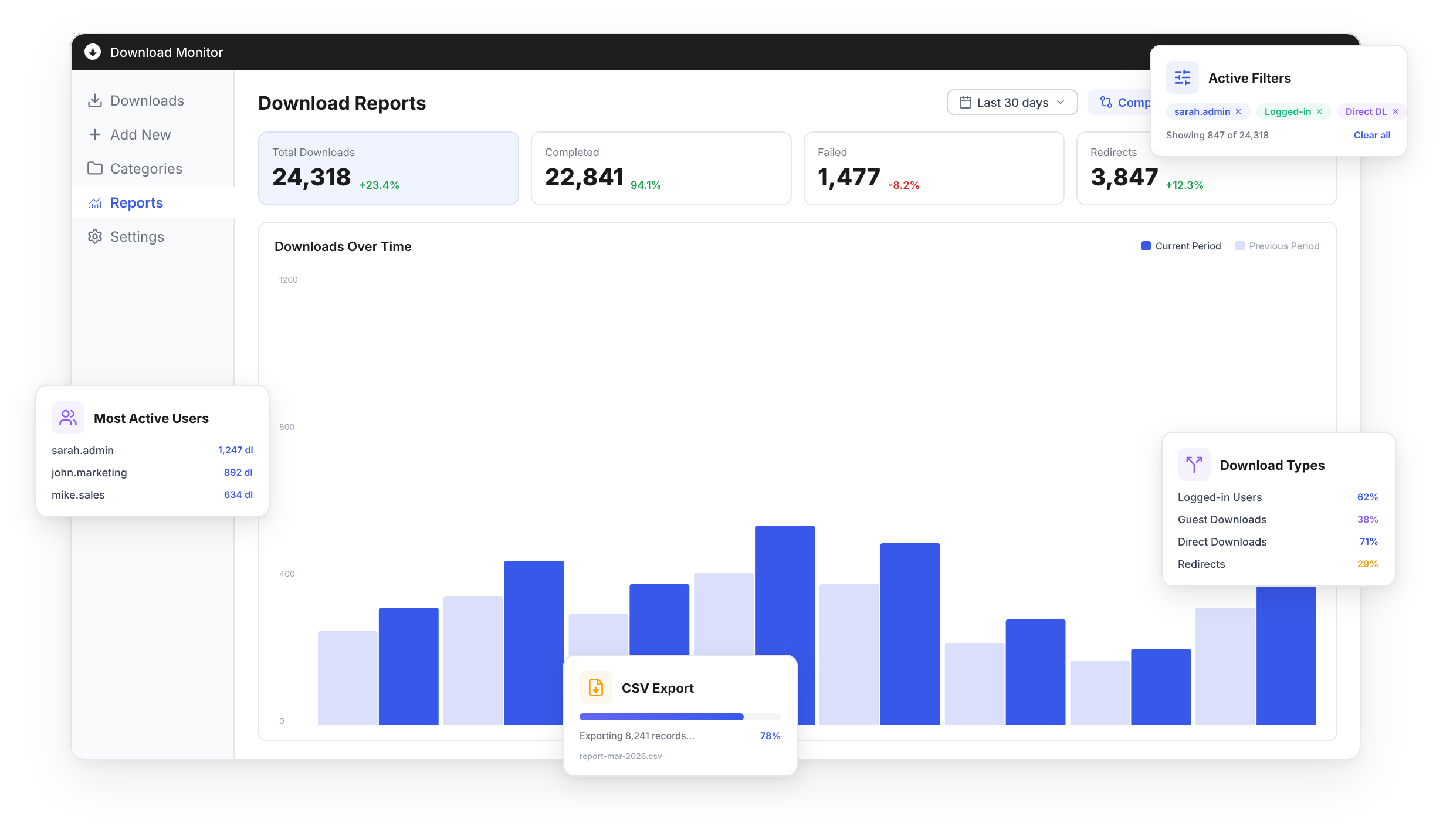
Enhanced Metrics gave us the visibility we were missing. We can finally compare download performance month over month, see exactly which files our users care about, and the CSV exports save our marketing team hours of manual reporting every week.

Verified customer
Compare Periods,
Spot Trends Instantly
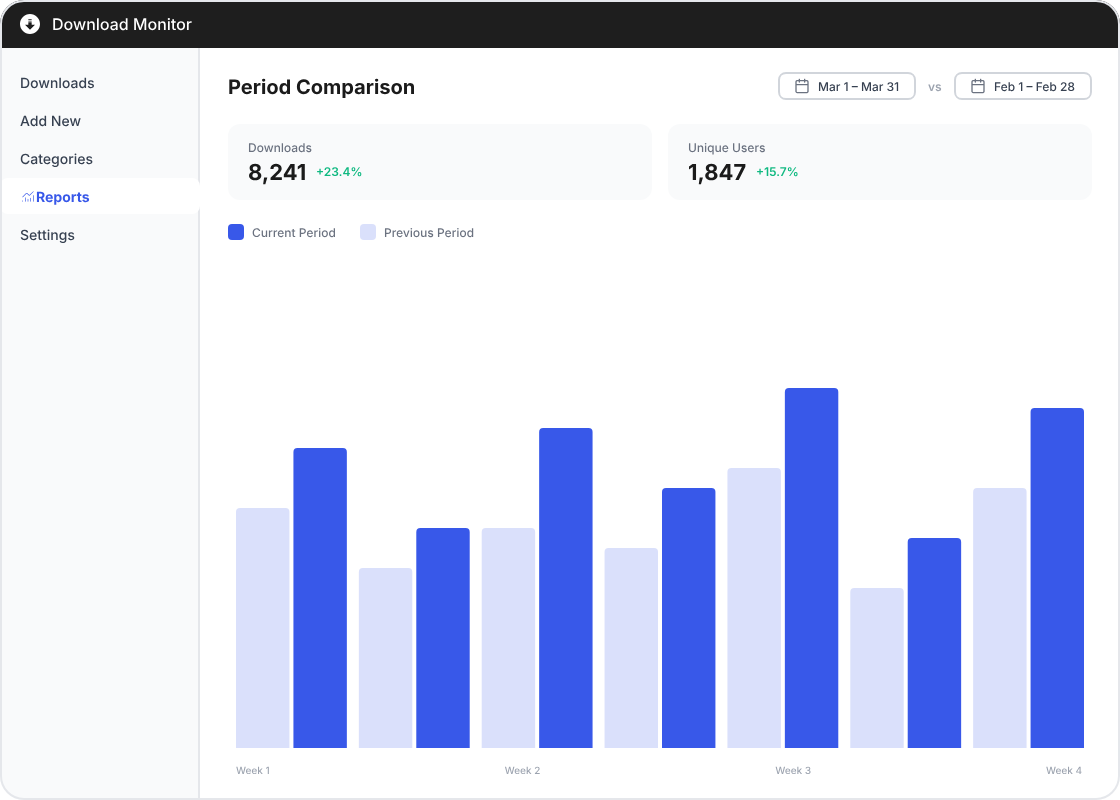
See how your downloads perform over time. Compare this month versus last, this quarter versus the previous — and identify growth patterns or drops before they become problems.
Side-by-side period comparison charts
Percentage change indicators on all metrics
Custom date range selection
Automatic trend detection and alerts
Every Download,
Every Detail, At a Glance
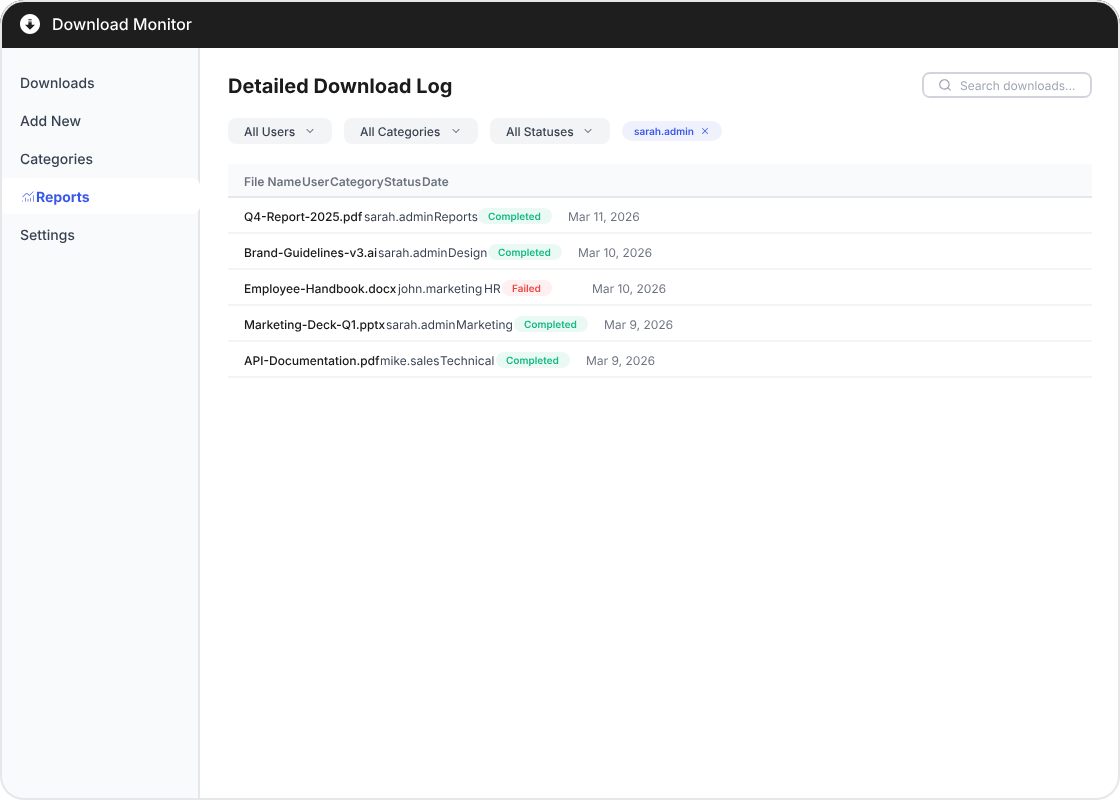
Drill into individual downloads with powerful filtering. See who downloaded what, when, from which category — and filter by user, status, or file type to find exactly what you need.
Filter by user, category, and status
Complete download log with timestamps
Track completed and failed downloads
Search across all download history
The filtering alone is worth the upgrade. We manage 500+ downloads and being able to narrow down by user, category, and date range has cut our reporting time from hours to minutes. The period comparison feature helped us prove ROI to our board within the first month.

Verified customer
Export Everything. Own Your Data.
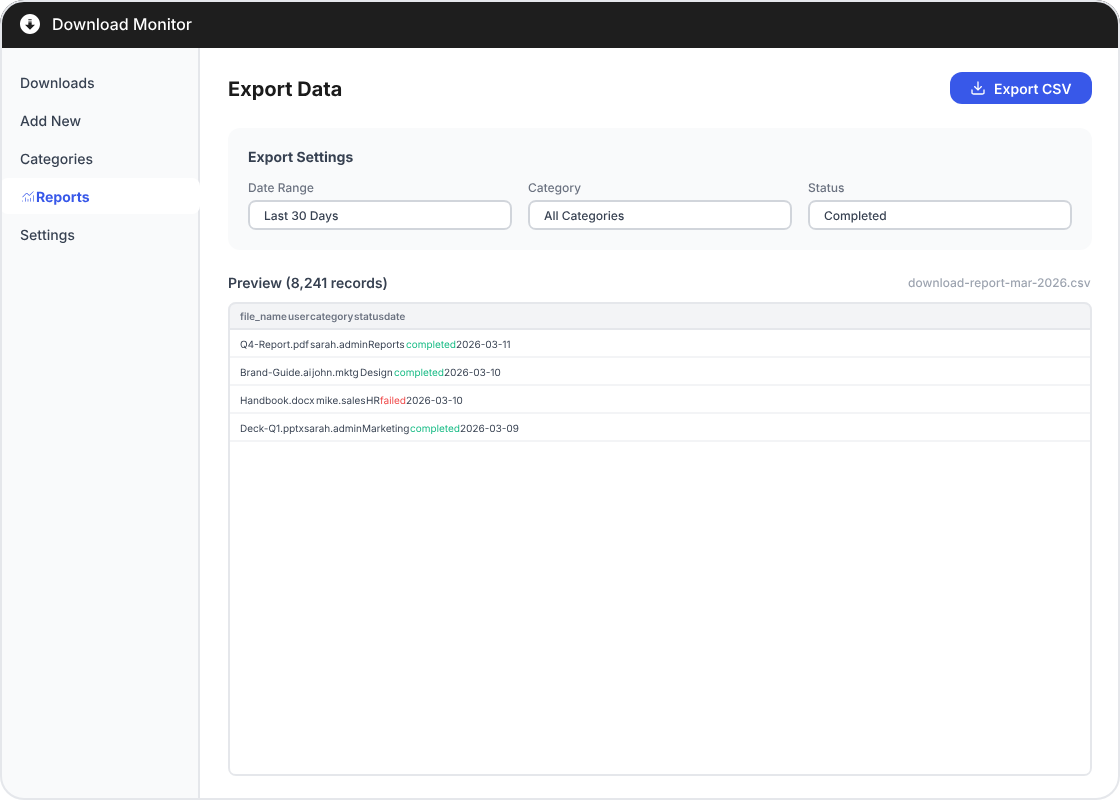
One-click to export your entire download history as a CSV file. Use it for custom reports, share with stakeholders, or import into your favorite analytics tool. Your data, your way.
One-click CSV export of all data
Export filtered views for targeted analysis
Compatible with Excel, Google Sheets, and more
Includes user, file, date, and status columns
Powerful Features for Every Use Case
From simple file sharing to enterprise document management.
Period Comparison
Compare download metrics across any two time periods with visual charts and percentage change indicators.
Download Breakdown
Track logged-in vs guest downloads, distinguish redirects from direct downloads, and monitor failed download attempts.
Advanced Filtering
Filter reports by user, category, file type, date range, and download status for precise insights.
User Tracking
See which users download which files, how often, and track individual download patterns over time.
CSV Export
Export your complete download data as CSV with one click. Filter before exporting for targeted reports.
WordPress Native
Built as a native WordPress extension. No external services needed — your data stays on your server.
Trusted by Data-Driven Teams
★★★★★
Enhanced Metrics turned our download data into actionable insights. The period comparison alone helped us optimize our content strategy and double our download rate.

Marcus Thompson
Verified customer
★★★★★
The CSV export saves our finance team hours every month. We pull filtered reports, drop them into our spreadsheets, and the numbers are always spot on.

Elena Rodriguez
Verified customer
★★★★★
We manage downloads across 12 WordPress sites. The breakdown between logged-in and guest users was eye-opening — we discovered 40% of our downloads were from guests, so we adjusted our registration strategy accordingly.

James Patel
Verified customer
Frequently Asked Questions
You can compare total downloads, completed vs failed downloads, logged-in vs guest users, and redirects vs direct downloads. All metrics show percentage changes and visual charts for easy comparison across any custom date ranges.
Yes, Enhanced Metrics is a paid extension for Download Monitor. You’ll need the Download Monitor plugin installed and active, then Enhanced Metrics adds the advanced analytics dashboard, comparison tools, and CSV export capabilities on top of it.
The export generates a standard CSV file compatible with Excel, Google Sheets, and other spreadsheet applications. It includes all download data with columns for file name, date, user info, download status, and source URL. You can filter the data before exporting to get exactly what you need.
No, Enhanced Metrics tracks both logged-in users and guest downloads. For logged-in users, you get detailed user profiles and download history. For guests, it captures IP-based data and browser information while respecting your privacy settings.
It tracks all download types including direct downloads, redirected downloads, completed and failed downloads. You can filter and compare metrics by any of these types to understand how your files are being accessed and identify potential issues.
Not at all. Enhanced Metrics uses lightweight, asynchronous tracking that won’t affect your page load times. Analytics data is processed in the background, and the dashboard loads only when you access it from the WordPress admin panel.